
Before you start
Before you start HbbTV development you will need to be set up a couple of things. Most developers will need an emulator, you will also need a webserver and you will need a known working application to test your set-up.
This section covers:
- Emulators
- Web server
- Applications
Emulators
Most HbbTV developer are not going to start developing with a smart TV and a RF modulator and are therefore going to start with an HbbTV emulator running on their laptop.
If you are skipping an emulator and going straight to a smart TV then use this article to help.
There are a number of HbbTV emulators available, including:
- Qvest HbbTV Emulator for Chrome
- RedOrbit HbbTV Emulator for Chrome (no longer supported)
- HybridTV Dev Environment for Chrome
- HybridTVViewer for Firefox
Adding an extension to Chrome or Firefox is easy, visit the Chrome web store or the Firefox Browser add-ons site, and for your chosen emulator click Add Extension.
An overview of each of the emulators is given in the following sub-sections.
Qvest HbbTV Emulator for Chrome
The Qvest HbbTV Emulator is an extension for the Chrome browser and is available from the Chrome web store. It was developed by Qvest and was, at the time of writing, last updated in May 2026 (version 1.0.5). Qvest gained their HbbTV expertise when they acquired TeraVolt in September 2023.
If the emulator does not start automatically when a web page is loaded, it can be forced into action through ticking ‘Force HbbTV mode’ in extension toolbar menu.
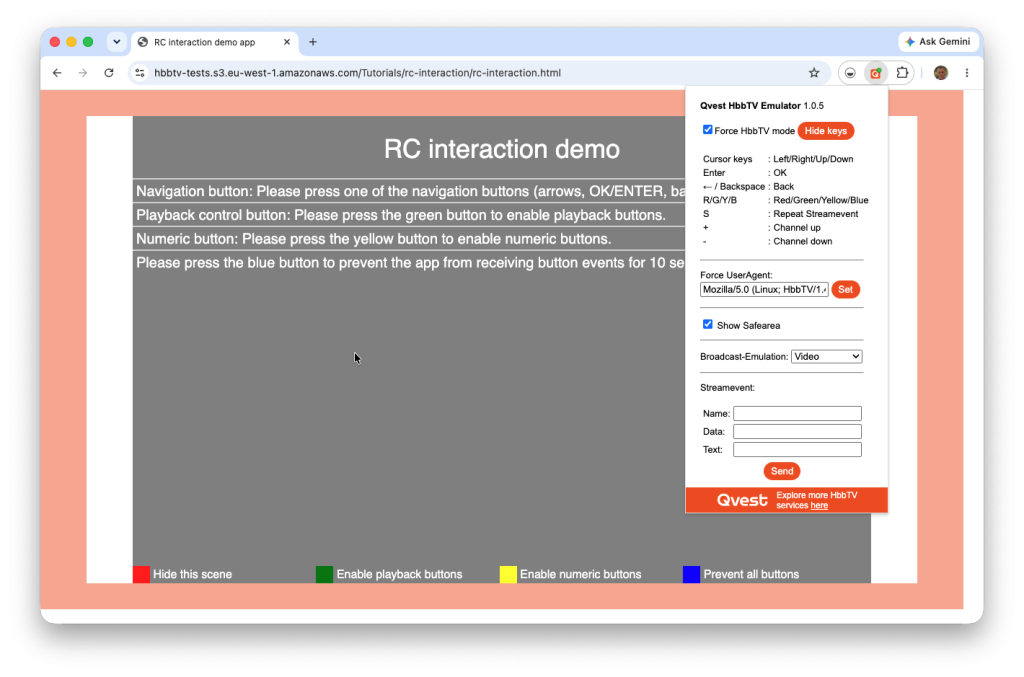
This extension emulates the remote control by assigning keyboard keys to remote control keys. The mapping is as follows, which is helpfully included in the extension toolbar menu:
| Remote Control Key | Keyboard Key |
|---|---|
| Red | R |
| Green | G |
| Yellow | Y |
| Blue | B |
| OK | Enter |
| Back | Backspace |
| Cursor keys | Left/Right/Up/Down |
| Channel up | + |
| Channel down | – |
The extension does not have a fixed user agent and this can be set through the extension toolbar menu.
It can simulate TV broadcast using a Qvest demo video or custom image/video files (.jpg, .png, .mp4).
A unique feature is the ability to send StreamEvents, which can be defined in the extension toolbar menu and repeat through press the ‘S’ key.
RedOrbit HbbTV Emulator (No longer supported on the latest version of Chrome)
The RedOrbit HbbTV Emulator is an extension for the Chrome browser and is available from the Chrome web store. It was developed by RedOrbit GmbH and was last updated in August 2022.
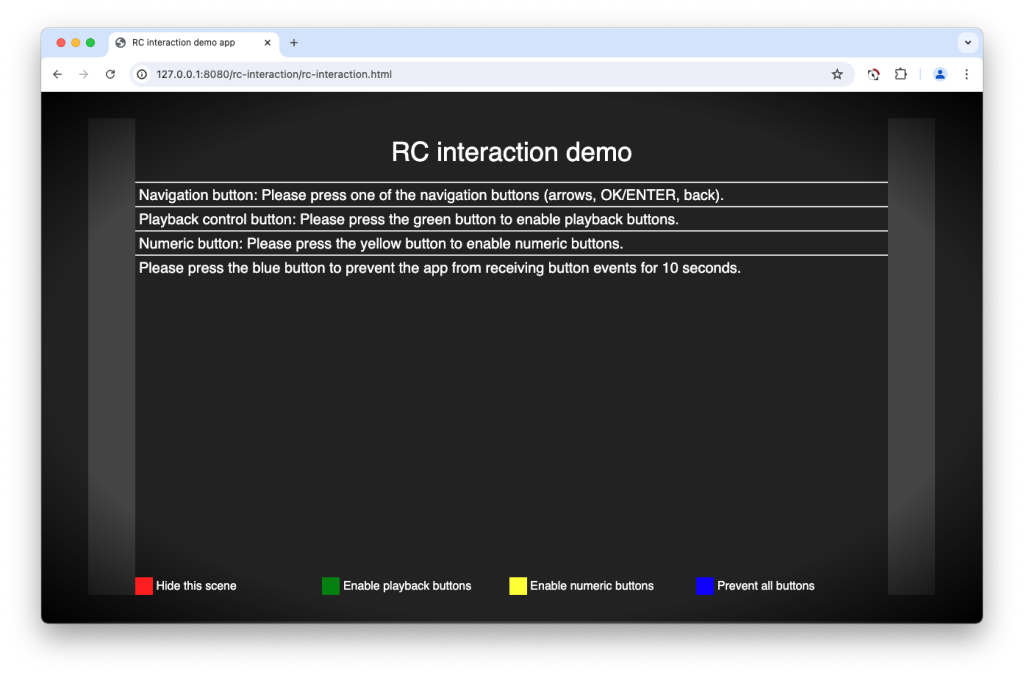
RedOrbit requires the MIME type of the HTML document to be application/vnd.hbbtv.xhtml+xml to activate.
RedOrbit emulates the remote control by assigning keyboard keys to remote control keys. The mapping is as follows:
| Remote Control Key | Keyboard Key |
|---|---|
| Red | R |
| Green | G |
| Yellow | Y |
| Blue | B |
| OK | Enter |
| Back | Backspace |
| Play | K |
| Pause | P |
| Play/Pause | Space |
| Stop | S |
| Fast Forward | D |
| Fast Backward | A |
RedOrbit supports playback of mp4 videos, DASH support is being planned. Embedded broadcast signal are simulated with a waterfall video played in a loop.
RedOrbit will return a HbbTV version of 1.2.1 with the user agent string of:
HbbTV/1.2.1 (+DRM;Samsung;SmartTV2015;T-HKM6DEUC-1490.3;;) HbbTVEmulator
HybridTV Dev Environment
The HybridTV Dev Environment is also an extension to the Chrome browser available from the Chrome web store. This one was developed by smartclip Europe GmbH. This was last updated in October 2020.
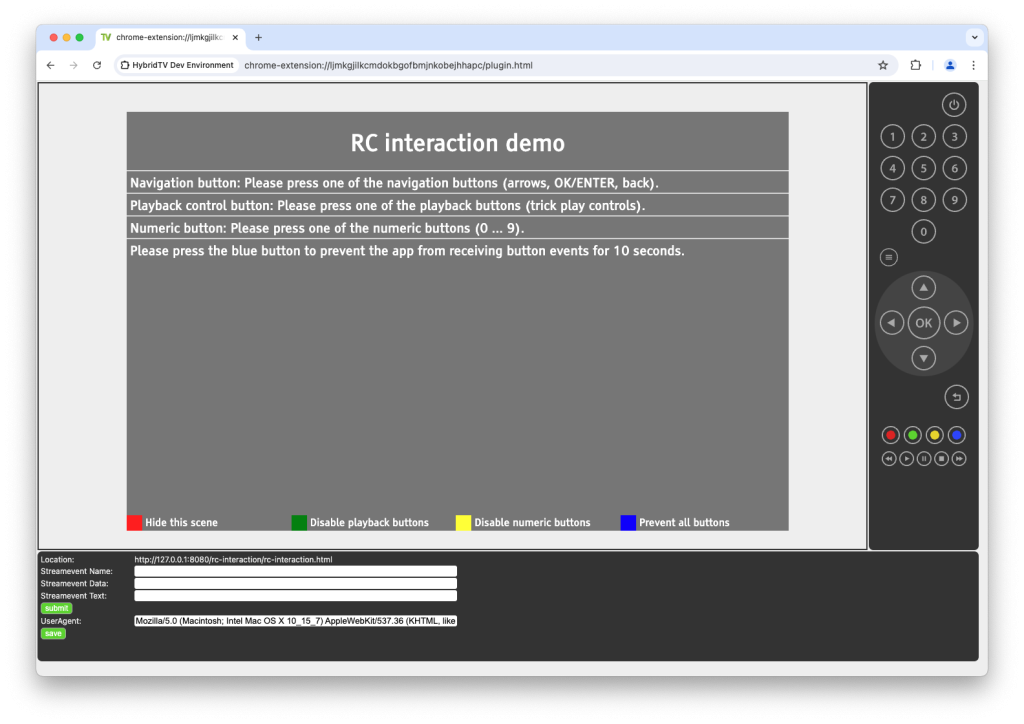
HybridTV has an onscreen remote-control emulator. It also has a guide button which provides access to the HbbTV applications provided by several German TV channels.
It also has a mechanism through which you can generate stream events and the ability to update the user agent string to value of your choice.
The video used for the broadcast object is Caminandes from the Blender Foundation.
HybridTV does not update the user agent string and so will return the standard user agent string without an HbbTV version in it.
HybridTVViewer
HybridTVViewer is an extension to Firefox and was last updated in April 2024. This was developed by Karl Rousseau.
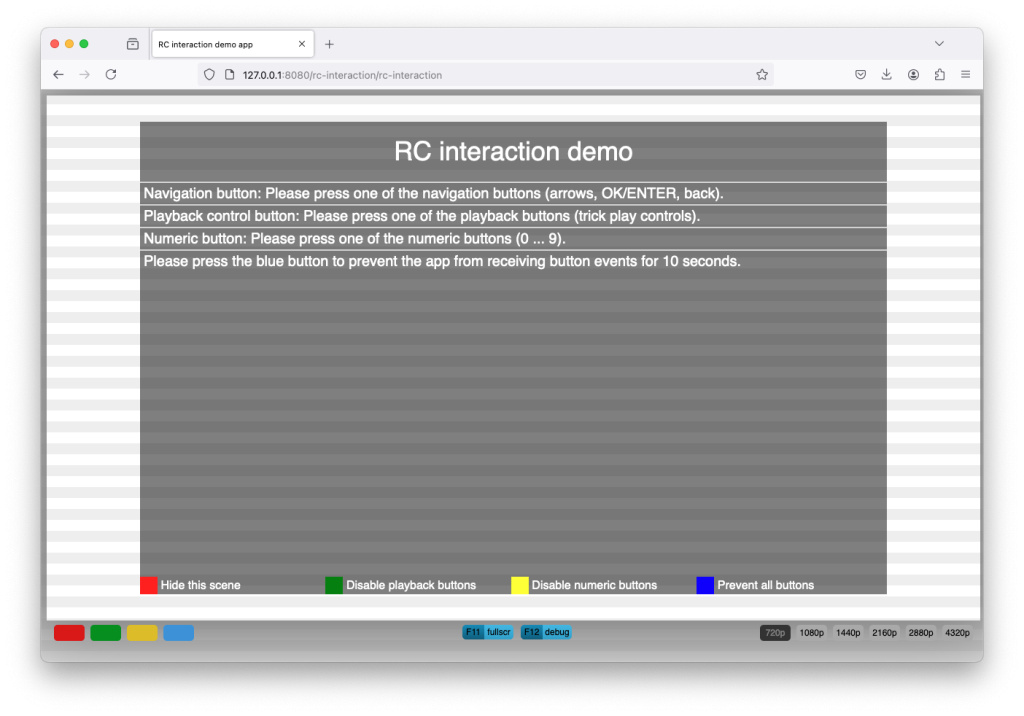
The extension has on-screen buttons for the colour keys and uses the keyboard for other remote control keys. The mapping is as follows:
| Remote Control Key | Keyboard Key |
|---|---|
| Red | On screen |
| Green | On screen |
| Yellow | On screen |
| Blue | On screen |
| OK | Enter |
| Back | Backspace |
| Play | P |
| Pause | Q |
| Play/Pause | R |
| Stop | S |
| Fast Forward | F |
| Fast Backward |
HybridTVViewer will automatically be activated by content with the correct HbbTV MIME type but can also be manually invoked.
The setting look like the emulator can be configured to support the different versions of the HbbTV Standard V1.0 (ETSI 1.1.1) to V2.0.1 (ETSI 1.4.1), but only V1.5 (ETSI 1.2.1) is actually available.
The video to be used for background broadcast video can also be configured. However, the tutorial broadcast object application doesn’t appear to work with this emulator.
The screen size can be adjusted through on-screen controls from 720p up to 4320p. This is just scaling the screen up. Only 720p application layout is available.
Web Server
To server HbbTV applications to your newly installed emulator you will need a web server. Most developer will have a preferred approach to this.
If you are looking for a quick and easy option, you could use an AWS S3 bucket set up for static web hosting.
If you have a recent version of Node.js installed on your machine, you can serve application by running the following command from the repositories root directory:
npx http-server --mimetypes .types The –mimetypes argument makes sure that http-server uses the mime type to file extension mapping specified in .types. This makes sure that the app’s document is served with the mime type application/vnd.hbbtv.xhtml+xml as expected by HbbTV terminals.
The contents of the .types file is:
application/vnd.hbbtv.xhtml+xml html It can been download from GitHub.
Applications
If you are not already developing an application, then you will want one to test out your set-up. You can access the HbbTV tutorial applications from Github.